
Every guide to this question recommends volume. Build a list of two thousand people who match your buyer profile, run a sequence, measure reply rates, iterate.
Look at who publishes those guides. Contact-data companies, sequence tools, automation platforms. Volume is what their software produces, so volume is what the advice recommends.
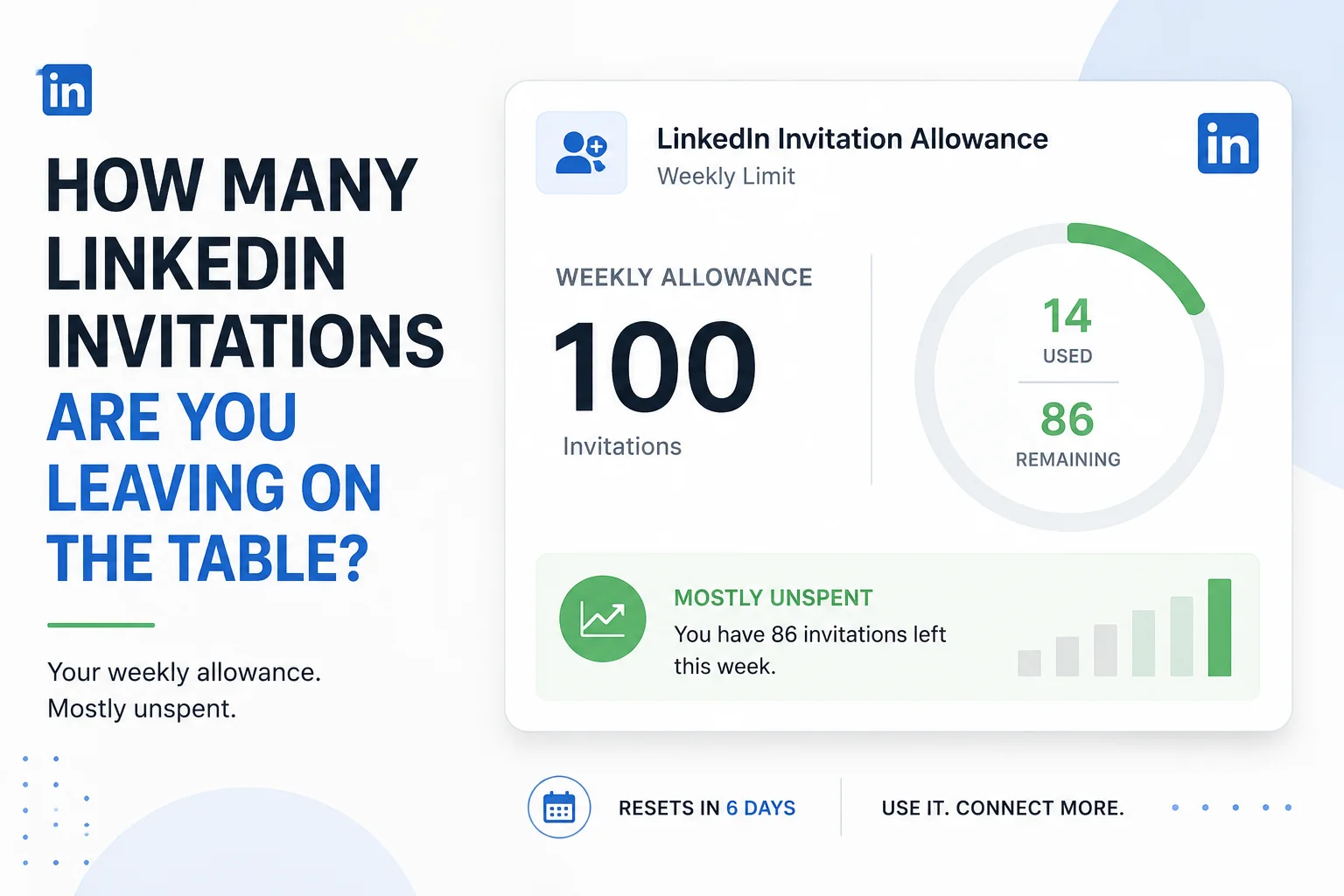
There is a harder constraint they write around: LinkedIn allows one hundred connection invitations a week, and each person can only receive a first impression once.
The short answer
Filter-based prospecting finds people who match a profile — job title, company size, industry. Signal-based prospecting finds people whose situation changed recently: a new role, a funding round, a post about a problem you solve. Filters produce thousands of names and no reason to contact any of them today. Signals produce a handful with an obvious reason. On a hundred invitations a week, only the second is affordable, and the message writes itself because the trigger supplies the opening.
Key takeaways
- LinkedIn caps invitations at 100 a week, identical across Free, Premium and Sales Navigator.
- Filters tell you who someone is. Signals tell you something moved. Only the second justifies contact this week.
- Five observable triggers cover most legitimate reasons to reach out.
- No trigger, no invitation. Most weeks you will not spend all hundred, and that is the system working.
- The message follows from the trigger. Templates fail because they have no reason to exist.
Why volume prospecting stopped working
Not a moral argument. A practical one.
Everyone is doing it. The same tools that let you send two hundred templated messages a month let everyone else do the same. Your prospect’s inbox contains fifteen of them this week.
The cap is hard. A hundred a week, across all account tiers — Sales Navigator does not raise it. Whatever your list size, that is the throughput.
The impression is single-use. Someone who receives an obviously templated message forms a view of your company, and you cannot send a better one later to reset it.
In India this compounds. B2B sectors here are small and heavily networked — the same conferences, the same WhatsApp groups, the same twenty firms who all know each other. A template that lands badly does not fail privately. The full argument for why reputation is the scarcest resource on this platform sits in what each LinkedIn route actually costs.
So the question is not how to send more. It is how to choose better, given that you cannot send many.
The Trigger List
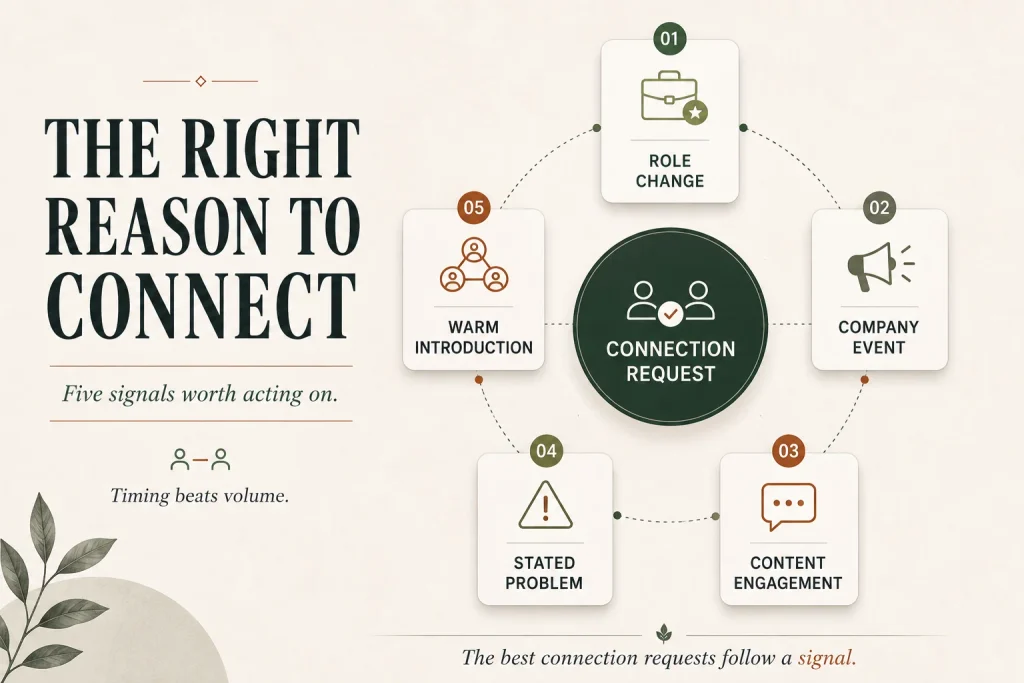
A filter tells you someone matches your buyer profile. A trigger tells you their situation changed. Spend your hundred invitations on triggers, because a profile match is true all year and gives you no reason to write today.
Five triggers, all observable on LinkedIn without any tool.
1. Someone changed roles
The strongest trigger available, and the most under-used.
A new head of department in their first ninety days has a mandate to change things, a budget conversation coming, and no loyalty to incumbent suppliers. They are also, briefly, unusually open to conversations.
How to find it. LinkedIn surfaces job changes in your network feed. Sales Navigator can alert you to changes at target accounts, which is one of the few things it does that genuinely earns its cost.
Why it works. The reason for contact is self-evident and needs no manufacturing.
2. Their company did something
Funding, expansion, a new office, a new market, an acquisition. Or the quieter signal: they are hiring for a role that implies the problem you solve.
A company advertising for its first performance marketing manager has decided performance marketing matters and has not yet built the capability. That is a better prospect than any profile match.
How to find it. Company page updates, job listings, and — in India — the trade press, which covers expansions and funding rounds that never reach LinkedIn.
3. They engaged with your content
Someone commented on your post, or reacted to it, or viewed your profile afterwards. They have already spent attention on you.
This is the highest-converting signal and it is free, but it only exists if you publish something worth engaging with — which is a separate discipline covered in where LinkedIn content actually comes from.
The connection between the two systems. Content generates signals. Prospecting spends them. A business doing only the second runs on cold contacts forever.
4. They stated a problem publicly
Someone posted about a difficulty you solve, or asked a question in their feed, or commented on someone else’s post describing a frustration.
The rarest trigger and the most valuable. You are responding to a request rather than interrupting.
One discipline. Answer the question properly in the comments first, with no pitch. The invitation comes afterwards, if at all.
5. A genuine mutual connection
Not “we have 47 shared connections” — a specific person who would recognise both of you and could be named.
The discipline that makes it work. Ask the mutual connection first. An introduction outperforms a name-drop by a wide margin, and name-dropping without permission is how you lose the mutual connection too.
What to do with the invitations you do not spend
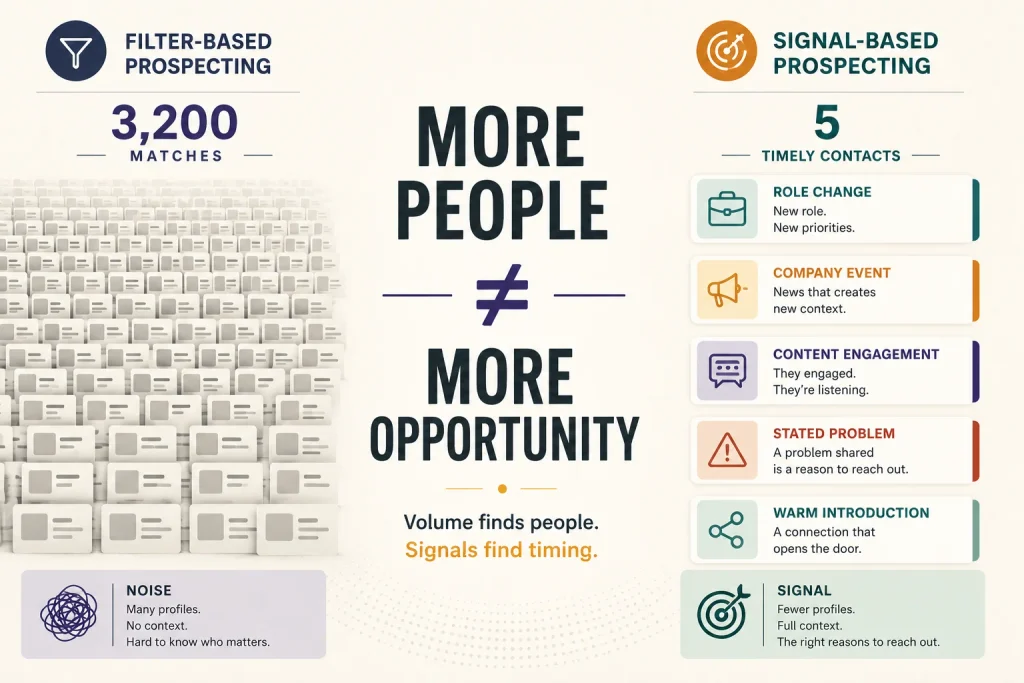
Follow the rule and most weeks you will find fifteen or twenty genuine triggers, not a hundred.
That is the system working, not failing. The remaining capacity is not wasted; it was never yours to spend well.
Use the time on the people you did contact. A researched, specific message to twenty people beats a templated one to a hundred, and the arithmetic of reply rates usually favours it even before reputation is considered.
And use it on the layer that creates triggers. Publishing, commenting substantively on other people’s posts, answering questions in your category. That work generates signal three months from now, and around 5% of B2B buyers are in-market at any given time, per Ehrenberg-Bass research for the LinkedIn B2B Institute — so most of the value arrives later, from people you did not contact today.
The message, which the trigger writes for you
Templates fail because they must open with a manufactured reason. A trigger supplies a real one.
Say why now. The first line names the trigger — the role change, the announcement, the post they wrote. Specific enough that it could only have been sent to them.
Say what you noticed, not what you sell. One sentence demonstrating you understood their situation.
Make the ask small. A conversation, a question, a relevant thing you can send. Not a demo.
Keep it short enough to read on a phone without expanding.
Do not attach a pitch to the connection request. Connect first with context; the substance comes after they accept.
What to avoid. Flattery about their “impressive profile.” Fake commonality. Anything beginning “I came across your profile and.” A first message that includes a calendar link.
The test. Would you send this to someone you might meet at an industry event next month? In an Indian B2B sector, you might.
Sales Navigator, honestly
Worth addressing because every ranking page recommends it and half of them sell alternatives to it.
What it genuinely does. Better search filters, saved lead and account lists, and — most usefully — alerts when something changes at a target account. That last function is the trigger machine, and it is the reason to buy it.
What it does not do. Raise the invitation cap. Nothing does.
Who should buy it. Anyone running signal-based prospecting against a defined account list, because the alerts do the watching for you.
Who should not. Anyone buying it to send more messages. You will pay for capacity you cannot use.
Automation, briefly
The tools ranking for this question mostly automate connection requests and message sequences.
LinkedIn’s user agreement restricts automated access and scraping, and accounts using such tools risk restriction. That is a real risk, not a theoretical one.
The practical objection is stronger than the policy one. Automation optimises for volume against a hard cap, which means it spends your hundred faster and less carefully. It also produces messages that read as automated, because they are.
Where automation is legitimate. Alerts, list management, CRM logging — anything that helps you notice signals or remember conversations. The line is whether the software is doing the watching or doing the talking.
Mistakes that cost real money
Prospecting from filters alone. A profile match is not a reason to write today.
Sending a pitch with the connection request. The fastest way to be ignored and remembered badly.
Using volume to compensate for weak targeting. The cap makes this arithmetically impossible.
Name-dropping mutual connections without asking. You lose two relationships instead of one.
Not tracking who you have contacted. Contacting someone twice with different templates is worse than never contacting them.
Slow follow-up when someone replies. The HBR audit of 2,241 companies found an average first response of 42 hours and 23% never responding at all. On a channel producing few conversations, losing any to delay is expensive.
When LinkedIn prospecting is the wrong method
When your market is very small. Under a few hundred target people, direct contact through introductions, events and trade bodies beats platform prospecting.
When your buyer is not professionally active on LinkedIn. Traders, small manufacturers and regional retailers in India are frequently reachable elsewhere and barely present here.
When nobody will do the research. Signal-based prospecting takes minutes per person. Without that time, you will default to templates.
When you need volume this quarter. This method produces few conversations. If you need many, paid is the honest alternative — which LinkedIn ad format to use covers it, and whether LinkedIn or Google suits your deal values covers whether LinkedIn is the right platform at all.
The weekly prospecting checklist
☐ Target account list defined, in people not just companies
☐ Alerts configured for role changes at those accounts
☐ Company pages and job listings reviewed weekly for signals
☐ Post engagement reviewed — who commented, who viewed
☐ Trade press scanned for expansions and funding in your sector
☐ Each invitation tied to a named trigger, written down
☐ No trigger means no invitation, even with capacity remaining
☐ Message opens with the trigger, in one specific line
☐ No pitch or calendar link in the connection request
☐ Contact log maintained so nobody is approached twice
☐ Replies answered within hours, not days
☐ Unspent capacity redirected to publishing and commenting
Questions we get asked
How do I find leads on LinkedIn?
Watch for change rather than searching for matches. Role changes, company announcements, hiring patterns, people engaging with your content, and people stating problems publicly.
Is Sales Navigator worth it?
For account alerts and saved lists, often. Not for volume — it does not raise the invitation cap.
What should I say in a connection request?
Name the trigger in the first line. If you cannot name one, you should not be sending it.
How many people can I contact a day?
Roughly twenty to twenty-five invitations before throttling, within a weekly cap of a hundred. The practical answer is fewer, because fewer will have triggers.
Does LinkedIn automation still work?
It sends messages. Whether it generates business is a different question, and LinkedIn’s user agreement restricts automated access — accounts using it risk restriction.
How long before this produces anything?
Role-change and content-engagement triggers can convert within weeks. Building the content layer that generates signals takes a quarter or more.
Your first Monday
Open your feed and look for three things: who changed jobs, whose company announced something, and who engaged with anything you published.
That is your list for the week. It will be short — probably under twenty people — and every one of them has a reason to hear from you today that you did not invent.
Write each message individually, opening with the reason. It takes about four minutes per person.
Then stop, even though you have eighty invitations left. Those are next week’s, for next week’s triggers, and spending them now on people who merely match your profile is how a channel gets used up.
If you would like a prospecting system built around your actual market and its signals, you can reach out to us on whatsapp at +91 7738844851 .
More in Blog
Keep reading
All articles →
Ready to talk about your growth?
Tell us what's stuck and we'll tell you what we'd do first. Free, 30 minutes, no pitch.