
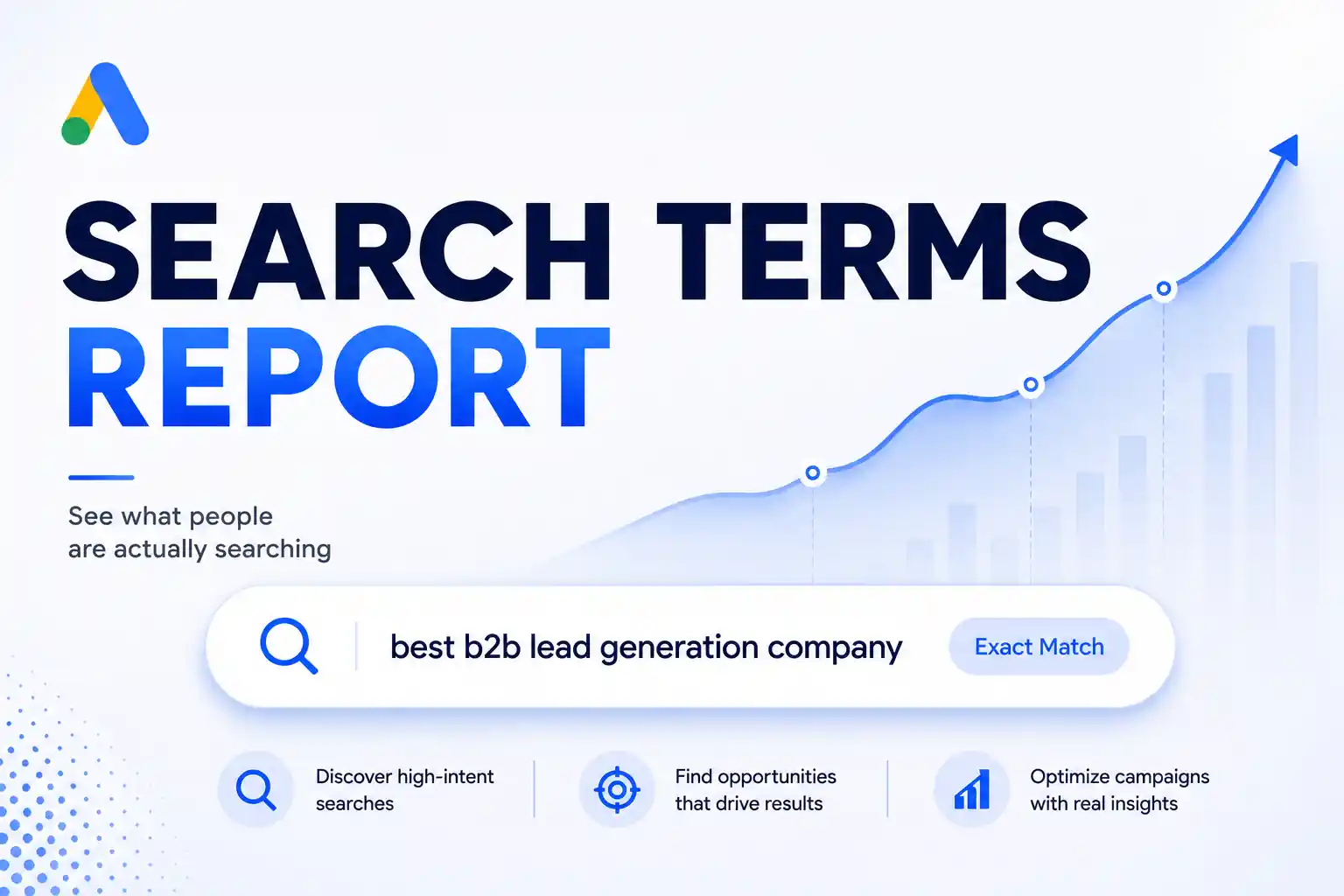
Search this term and you will find eight guides explaining campaign structure, ad groups, keywords and bidding. All useful. All describing week one.
Setup happens once. Management is the next two years, and almost nobody writes about it — which is strange, because it is where the money goes.
The question a manager actually has is not what are the settings. It is what should I be doing this Tuesday, and what should I leave alone.
The short answer
Managing a Google Ads account well is mostly a question of frequency. Some things need weekly attention, some monthly, some quarterly, and a few should barely be touched at all. Get the frequency wrong in either direction and it costs you. Change bid strategies often and you restart Google’s learning period, which makes performance volatile for a week or more. Review search terms rarely and you fund queries nobody chose, because 15% of Google searches each day have never been searched before.
Key takeaways
- Over-management and under-management cost money in opposite directions. One resets the algorithm, the other funds waste.
- Google publishes what restarts learning — bid strategy changes, conversion action changes, large budget swings. Treat those as quarterly decisions, not weekly ones.
- The search terms report is the highest-value recurring task and nearly the only one that rewards weekly attention.
- 15% of daily Google searches are brand new. Google has held that figure since 2013 and reaffirmed it this year. Your keyword list is never finished.
- A well-run small account needs a few focused hours a month, not daily fiddling. Most of the hours people spend are spent in the wrong place.
Why the guides describe setup and call it management
Setup is easy to write about. It has screens, buttons and a beginning and an end.
Management has none of that. It is a set of judgements repeated at intervals, and the interval matters as much as the judgement. That is harder to turn into a numbered list, so most articles quietly substitute the thing they can describe.
There is a second reason, and it is more interesting. Most of what people picture as campaign management no longer exists.
Ten years ago, managing an account meant adjusting keyword bids — genuinely, by hand, often daily. Smart Bidding took that away. The levers people reach for out of habit are now either gone or actively harmful to pull. What remains is a shorter list, and it is a different list.
The Management Clock
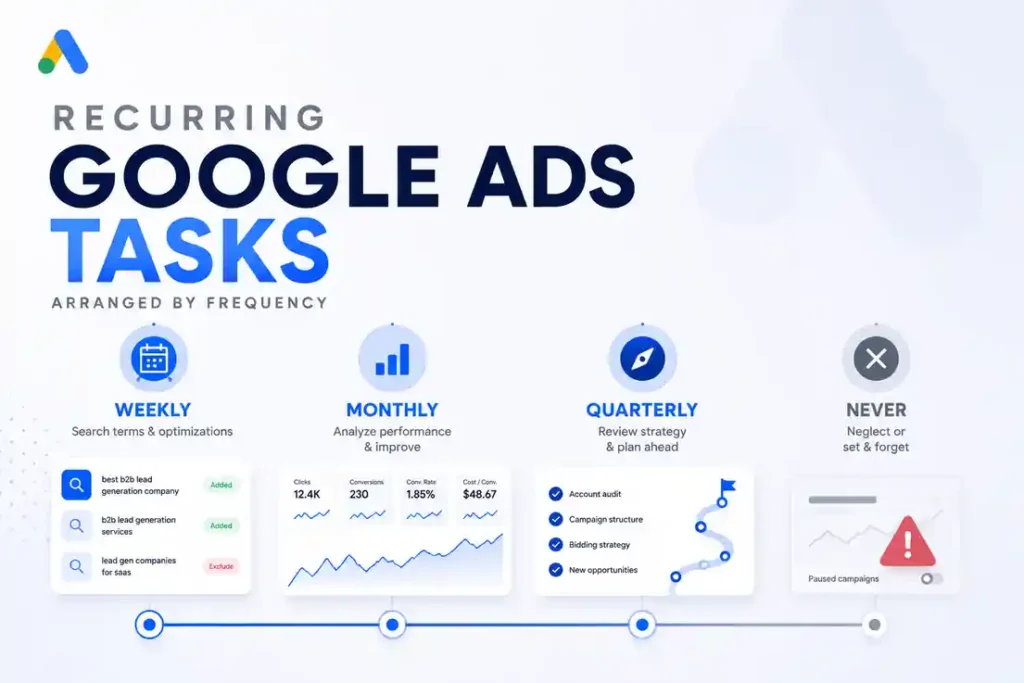
Every recurring task in a Google Ads account has a correct frequency. Doing it more often damages performance. Doing it less often wastes money. The skill is knowing which is which.
Four positions on the clock.
Weekly — the query layer
Read the search terms report. This is the one task that genuinely rewards weekly attention, and it is the one most often skipped.
Google’s own figure explains why. Roughly 15% of searches each day have never been searched before — a number Google first published around 2013 and has reaffirmed since, including in the context of AI search. At roughly 8.5 billion searches a day, that is over a billion queries nobody has ever typed before, every day.
You are not managing a keyword list. You are managing the gap between what you bid on and what people actually type, and that gap reopens every week whether you look or not.
Read the report. Add negative keywords for anything irrelevant. Note any query that converts and does not yet exist as a keyword.
Check spend against pacing. Two minutes. You are looking for a campaign that has run away or stalled, not for a reason to change something.
Check that conversion tracking still fires. A broken tag is the most expensive silent failure in the account, and it usually breaks because someone edited the website, not the account. This matters more if your conversions are form fills — our guide on what counts as a conversion worth optimising toward covers which signals are worth feeding the algorithm in the first place.
Monthly — the message layer
Review ad copy performance and rotate the weakest asset. Monthly, not weekly. Responsive search ads need enough impressions per asset before the comparison means anything, and a month of data on a modest budget is usually the minimum.
Review landing pages against the queries actually converting. Search intent drifts. The page written for last year’s query is often not the page this year’s searcher needs.
Review campaign structure. Not to redesign it — to check whether conversion data has been split across too many campaigns to be useful. That failure mode has its own article: why fewer campaigns usually perform better.
Check the placements and audience reports if you run anything beyond search.
Quarterly — the strategy layer
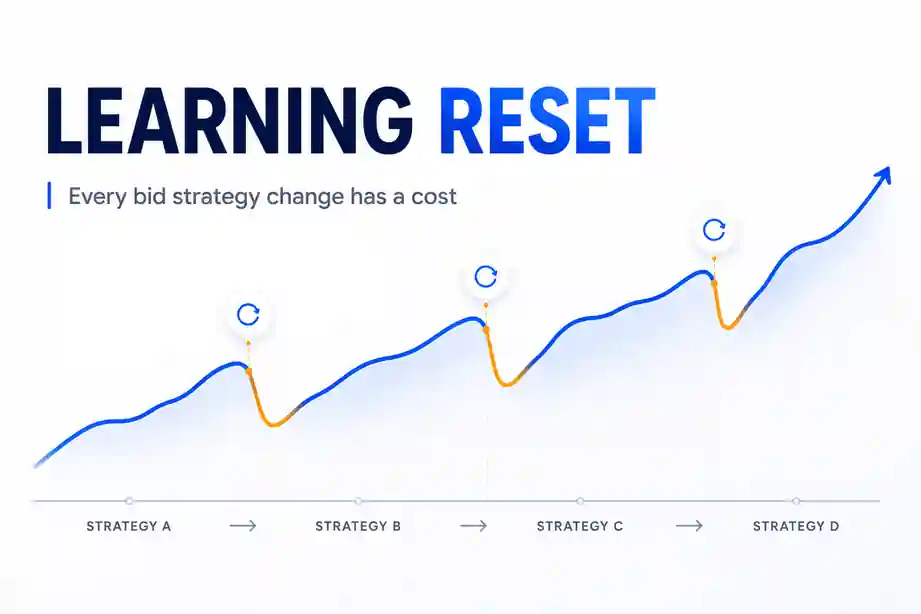
Bid strategy changes belong here. Google’s documentation is explicit that switching bid strategies restarts the learning period, during which performance is unstable. A quarter gives a strategy enough time to prove itself and gives you enough distance not to panic three days in.
Large budget changes belong here too, and should be staged rather than made in one move.
Reassess targets. Target CPA and Target ROAS numbers set six months ago against different margins are now fiction. Review them against what the business actually needs — what a good ROAS looks like in India gives the benchmarks to check against.
Audit the negative keyword list for terms that are now blocking traffic you want.
Rarely, or never — the things that feel like management
Daily bid adjustments. Gone as a discipline. If you are on Smart Bidding, you are not adjusting bids, and manual intervention mostly interferes.
Pausing keywords after three days of bad data. Three days is noise. Google recommends at least 30 conversions in 30 days before Target CPA bidding is reliable — a threshold that tells you something about how much data a decision needs.
Restructuring after every disappointing month. Each restructure costs another learning period. Two restructures a quarter means the account is almost never out of learning, and you will never know whether the original structure would have worked.
Checking the account daily and changing something because you looked. The most common and most expensive habit. Looking is fine. Looking is free. Changing something because you looked is what costs money.
What the learning period actually costs you
Worth being concrete, because this is the mechanism behind half the Clock.
When you change a bid strategy, change your conversion action, or move a budget substantially, Google’s system re-enters a learning period. Google’s documentation describes it as roughly seven days for most campaigns, longer where conversion volume is low or the conversion delay is long. Campaign status shows “Learning” while it runs, and performance during it is unstable — costs per acquisition move around and results are unreliable as a guide to anything.
Now consider a manager who changes something significant every week. That account is never out of learning. Every decision is being judged on unstable data, which produces another change, which restarts the clock again.
This is the mechanism behind the single most common pattern we see in accounts handed over to us: a year of activity, a great deal of work done, and no accumulated learning to show for it.
How much time this actually takes
An honest answer, because “it depends” helps nobody.
A single-campaign account on a modest budget needs perhaps thirty to forty minutes a week and two hours a month. That is a properly read search terms report, a pacing check, and a monthly look at copy and pages.
A multi-campaign account with several conversion actions and a meaningful budget needs more — but the increase is in reading and judgement, not in clicking. The number of changes a good manager makes does not scale with budget nearly as fast as people expect.
If someone is spending fifteen hours a month on a two-campaign account, they are not managing it. They are watching it, and probably breaking it.
Mistakes that cost real money
Confusing activity with management. The change log looks busy, the account never stabilises.
Never reading search terms. The most expensive omission available, and the easiest to fix.
Judging a change before its learning period ends. You are reading noise and acting on it.
Optimising toward a conversion action that does not mean anything. If every form fill counts, including the junk, the algorithm gets very good at finding people who fill in forms and never buy.
Adding negative keywords without checking volume. Broad negatives block real traffic. Check what a negative would have excluded over the past quarter before adding it.
Reporting on clicks and impressions. Both go up when you spend more. Neither tells you whether the account is working.
Assuming the agency’s reporting cadence is the management cadence. A monthly report does not mean the account was looked at monthly, and it does not mean it was looked at weekly either. Ask what happens between reports.
When you should not be managing this yourself
When nobody owns it. An account that belongs to everyone gets checked by nobody, and unowned accounts drift faster than badly managed ones.
When the spend justifies the fee. Below roughly ₹50,000 a month in ad spend, most agency fees are large relative to what better management can recover. Above it, the maths usually turns. Our guide to choosing a Google Ads agency in India covers what to ask before signing.
When the account is structurally wrong. A rebuild is a project, not a management task, and doing it in weekly increments is the slowest possible route.
When you cannot leave things alone. This is not a joke. Some people cannot watch a campaign underperform for ten days without intervening, and the discipline is the job.
The weekly and monthly checklist
☐ Search terms report read, negatives added
☐ Converting queries noted for possible keyword addition
☐ Spend pacing checked against monthly budget
☐ Conversion tracking confirmed as firing
☐ Any campaign showing “Learning” noted and left alone
☐ Monthly — weakest ad asset rotated out
☐ Monthly — landing pages checked against converting queries
☐ Monthly — conversion data checked for over-fragmentation across campaigns
☐ Quarterly — bid strategy and targets reviewed against business margins
☐ Quarterly — negative keyword list audited for over-blocking
☐ Change log reviewed — count how many changes were made and why
☐ One metric agreed as the account’s measure for the quarter
Questions we get asked
How often should I check my Google Ads account?
Look weekly. Change monthly or quarterly, depending on the layer. Looking daily is harmless; acting on what you see daily is not.
What does a Google Ads manager actually do all month?
Reads search terms, manages the negative list, rotates creative, checks tracking, reviews landing pages against converting queries, and makes a small number of considered structural or bidding decisions each quarter. If the answer you get is longer than that, ask what the extra hours produced.
Can I manage Google Ads myself?
Yes, for a straightforward account, if you can hold to a cadence and resist reacting to short-run data. The technical barrier is lower than it was; the temperamental one is not.
Is Google Ads management the same as PPC campaign management?
Broadly, though PPC covers other platforms too. The frequency logic in this article applies across them, since both major platforms run on learning systems that dislike interference.
How do I know if my current management is any good?
Ask for the change log and the search terms report. A good account shows few changes, each with a reason, and a negative keyword list that grows steadily. A neglected one shows either nothing or constant activity.
Does any of this change with AI-driven campaign types?
The direction of travel makes it more true, not less. As more control moves to automation, the manager’s remaining job is feeding good signals in and keeping bad queries out — which is exactly the weekly layer of the Clock.
What to do this week
Open the search terms report and set the date range to the last ninety days.
Read every query that cost money and produced nothing. Most people find something in the first five minutes that should have been excluded months ago, and the exercise tends to settle the question of whether the account is being managed or merely owned.
Then open the change history and count the changes made in the last month. If there were more than a handful and you cannot state the reason for each, the problem is not that the account needs more attention.
If you would like a second opinion on an account — what is being over-managed, what is being ignored, and what it is costing — you can reach out to us on whatsapp at +91 7738844851 .
More in Blog
Keep reading
All articles →


Ready to talk about your growth?
Tell us what's stuck and we'll tell you what we'd do first. Free, 30 minutes, no pitch.