YouTube Watch Time: How to Read Retention and Keep Viewers Watching
YouTube watch time explained: the monetisation thresholds, how to read retention graphs in YouTube Studio, and a three-step fix for intros, dips and endings.

The short answer
YouTube watch time is the total time people spend watching your videos. It matters for two reasons. It’s one of the signals YouTube’s recommendation system uses, alongside clicks, surveys, likes and shares. It’s also a monetisation threshold: 4,000 public watch hours in 12 months (with 1,000 subscribers) for the full YouTube Partner Program, or 3,000 hours with 500 subscribers for the expanded tier available in India. To increase it, open each video’s retention graph in YouTube Studio. Fix the first 30 seconds, then the dips, then the ending.
Watch time vs retention
Watch time is total minutes watched. A long video watched halfway can earn more than a short one watched fully.
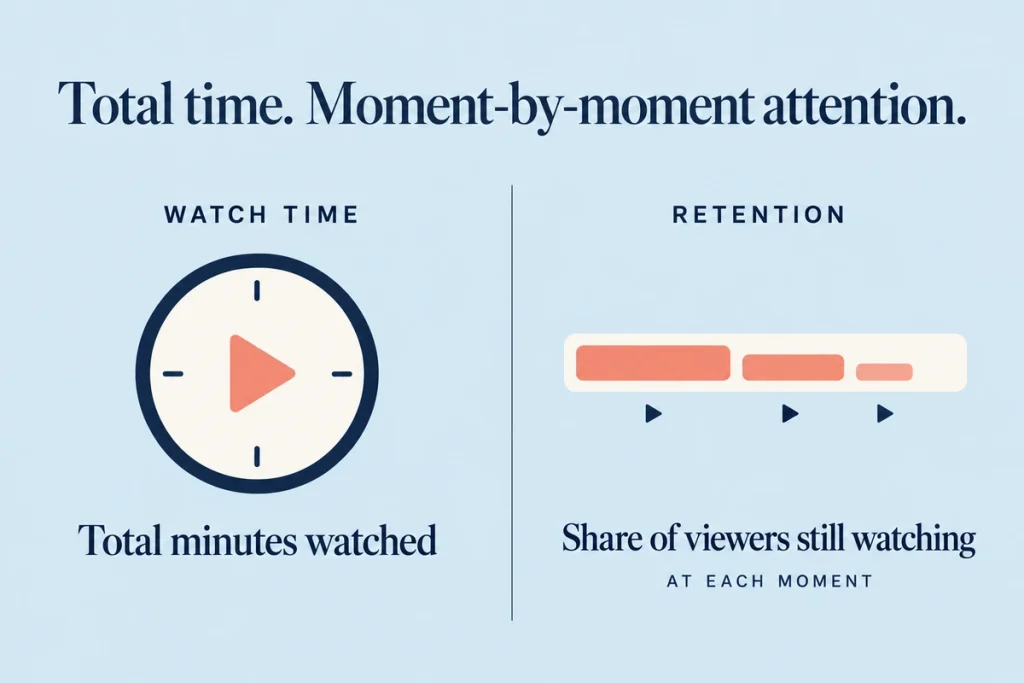
Audience retention is the share of viewers still watching at each moment. It shows where you lose people.
Average view duration is watch time divided by views.
For improving videos, retention is the useful one. Watch time is the result.
Why YouTube cares
In 2021, YouTube’s VP of Engineering explained that the recommendation system introduced watch time in 2012 to identify videos people valued, and later added surveys to measure “valued watchtime”. Watch time counts only if people are glad they watched. A video that holds attention with bait and disappoints viewers doesn’t win in the long run.
For a business channel, watch time also says something plain: viewers who watch 8 minutes of your explainer have heard your whole argument. Those are your warm leads.
The monetisation thresholds
From YouTube Help, as of 2026:
- Full YouTube Partner Program: 1,000 subscribers plus 4,000 qualified public watch hours in 12 months, or 1,000 subscribers plus 10 million public Shorts views in 90 days
- Expanded tier (available in India): 500 subscribers, 3 public uploads in the last 90 days, plus 3,000 watch hours in 12 months or 3 million Shorts views in 90 days
Watch hours from Shorts don’t count toward the long-form hours threshold.
Reading the retention graph
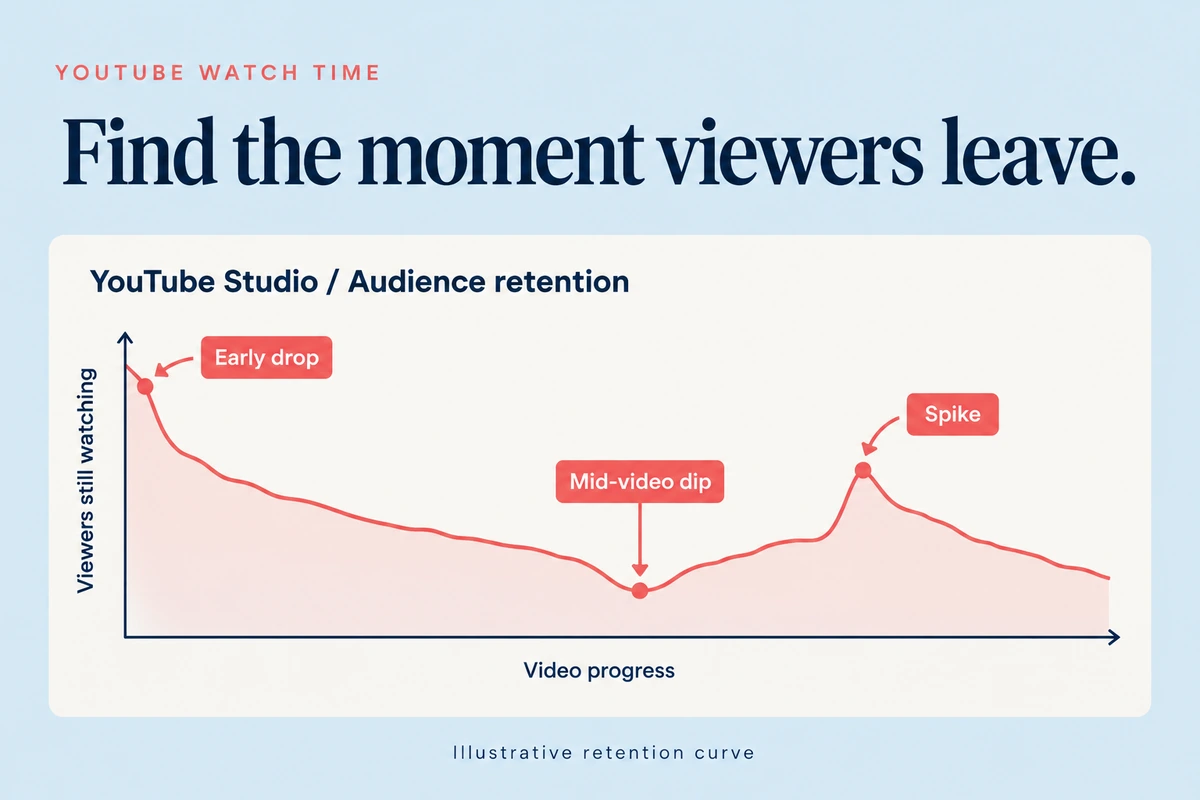
In YouTube Studio, open a video › Analytics › Engagement › Key moments for audience retention. YouTube breaks it down into:
- Intro: the share of viewers still watching after the first 30 seconds
- Top moments: parts with the least drop-off
- Spikes: parts rewatched or shared
- Dips: parts skipped or where people left
YouTube also compares a video with your 10 latest videos of similar length (“typical retention”). That’s your real benchmark, not other channels.
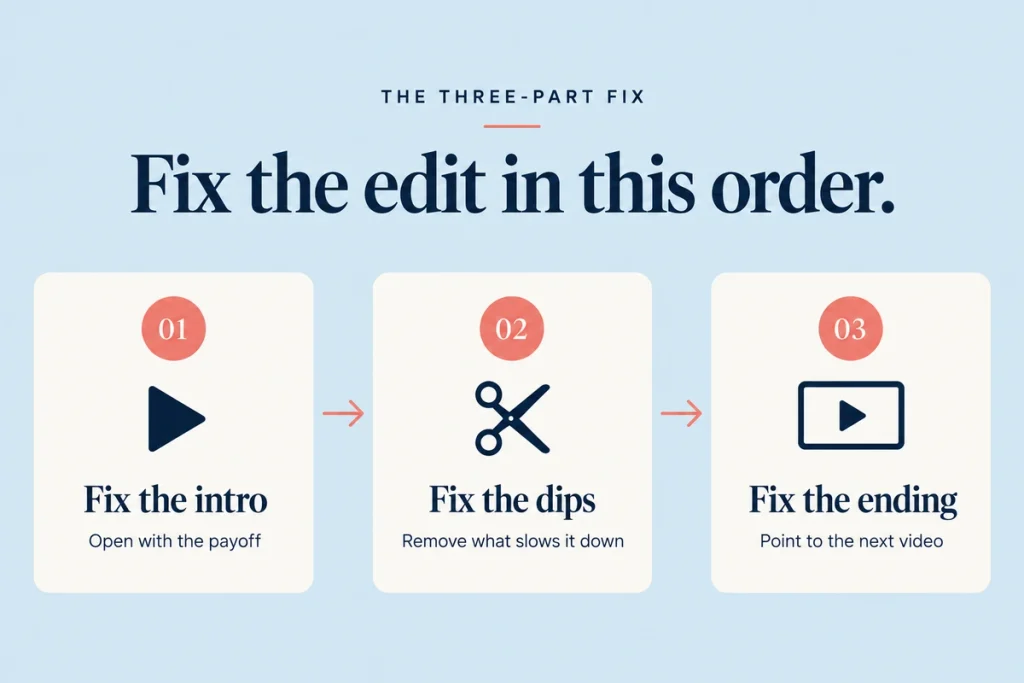
The three-part fix
1. Fix the intro
The biggest drop usually happens in the first 30 seconds. YouTube says a strong intro percentage means the opening matched what viewers expected from the title and thumbnail.
- Start with the payoff or the problem. “Your GST input credit is getting blocked for one reason. Here’s how to fix it.”
- Cut logo animations and “welcome to our channel”.
- Show what’s coming. “By the end, you’ll know the three documents your bank will ask for.”
- Match the title. If the thumbnail promises a price, show the price early.
Our guide to hook rate covers the same idea for ads.
2. Fix the dips
Watch the video at each dip and ask what changed.
- A long tangent? Cut it
- A slow screen share? Speed it up or add narration
- A repeated point? Remove the repeat
- A sudden topic change? Add a signpost: “Now, the second mistake…”
YouTube’s own advice: if top moments sit late in a video, move that content earlier.
3. Fix the ending
Viewers leave when a video “feels finished”. Many business videos end with a long sign-off.
- End within seconds of the last point.
- Point to the next video with an end screen. Each next view adds session watch time.
- Use playlists so the next video plays automatically.
Other ways to lift watch time
- Chapters. Timestamps in the description (starting at 00:00, at least three, each at least 10 seconds) help viewers jump to what they need rather than leave
- Series and playlists. People watch several videos in a row
- Better audio. Viewers tolerate average video, not bad sound
- Pattern breaks. A cut, a graphic or a B-roll shot every 20 to 40 seconds in explainers
- Honest titles. Misleading titles raise clicks and cut retention
Mistakes to avoid
Padding videos to get more minutes. Retention falls, and satisfaction signals suffer.
Comparing with other channels. Compare with your own typical retention.
Ignoring Shorts in reporting. Shorts views don’t count toward long-form hours; track them separately.
Judging a video on day one. Search videos build watch time for months.
Checklist
- Retention graph checked for each of the last 10 videos
- Intro percentage noted and compared with typical retention
- Intros rewritten to open with the payoff
- Dips reviewed and cut in the next edit
- Endings shortened
- End screens and playlists on every long video
- Chapters added to videos over 5 minutes
Questions we get asked
Do Shorts count towards watch time?
Not towards the 4,000 long-form hours. Shorts have a separate threshold based on views.
What’s a good retention rate?
It depends on length and topic. Compare each video with your own typical retention in YouTube Studio.
Final thoughts
Watch time is the result of good editing. Fix intros, dips and endings, and watch time follows. It’s the core of the Browse shelf in YouTube marketing.
Want an edit review of your top videos? Book a consultation.You can reach out to us on whatsapp at +91 7738844851 .
More in Blog
Keep reading
All articles →
Ready to talk about your growth?
Tell us what's stuck and we'll tell you what we'd do first. Free, 30 minutes, no pitch.