YouTube Description: A Five-Block Template for Business Videos
How to write a YouTube description that helps search and drives leads: a five-block template, the 5,000-character limit, chapters, links and examples.

The short answer
A good YouTube description tells viewers and YouTube what the video is about in the first two lines, then gives chapters, links and context. YouTube allows up to 5,000 characters and advises using the first few lines to describe the video, because that’s what viewers see first. It also recommends choosing one or two main words and featuring them in both the title and the description. YouTube says the title, thumbnail and description matter more for discovery than tags. For business videos, add a clear next step with a tracked link.
The five-block template
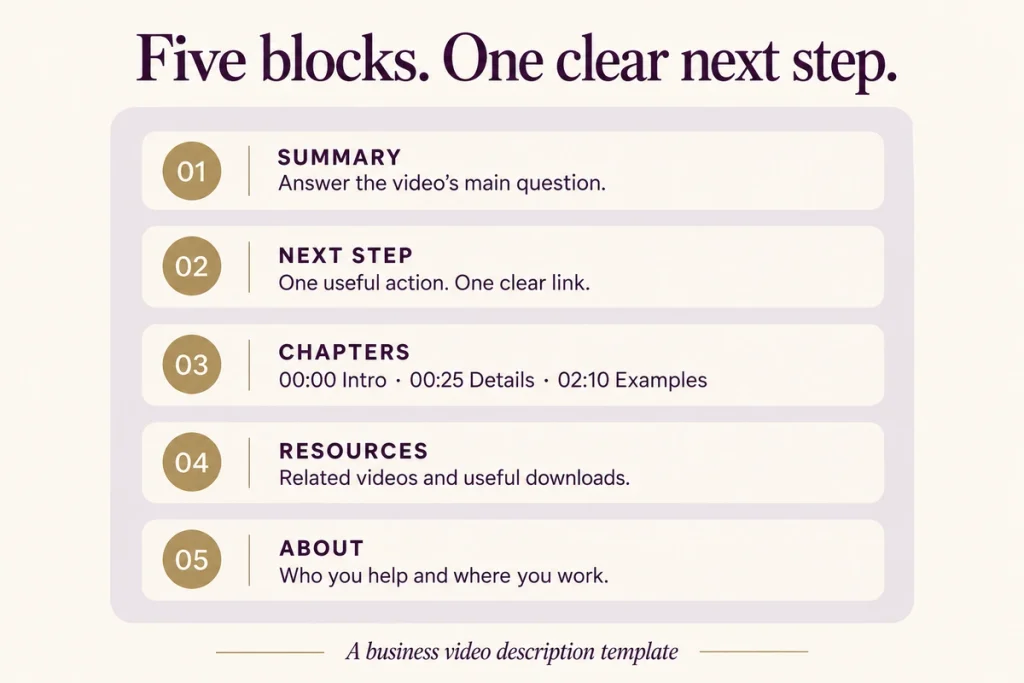
Block 1: Summary (first 1–2 lines, ~150 characters)
What the video answers, using your main keyword naturally. This shows in search and above “more”.
Block 2: Next step
One link with a clear reason. A booking page, WhatsApp chat or free resource. Add UTM parameters so you can see YouTube leads in your analytics.
Block 3: Chapters
Timestamps that create chapters. YouTube’s rules: the first timestamp must be 00:00, list at least three in ascending order, and each chapter must be at least 10 seconds.
Block 4: Resources and related videos
Links to documents mentioned, related videos or a playlist.
Block 5: About
Two or three lines on who you are, the same on every video. Add your location if you serve a city.
A filled example (illustrative)
For a Pune interior design studio’s video “How much does a modular kitchen cost in Pune?”:
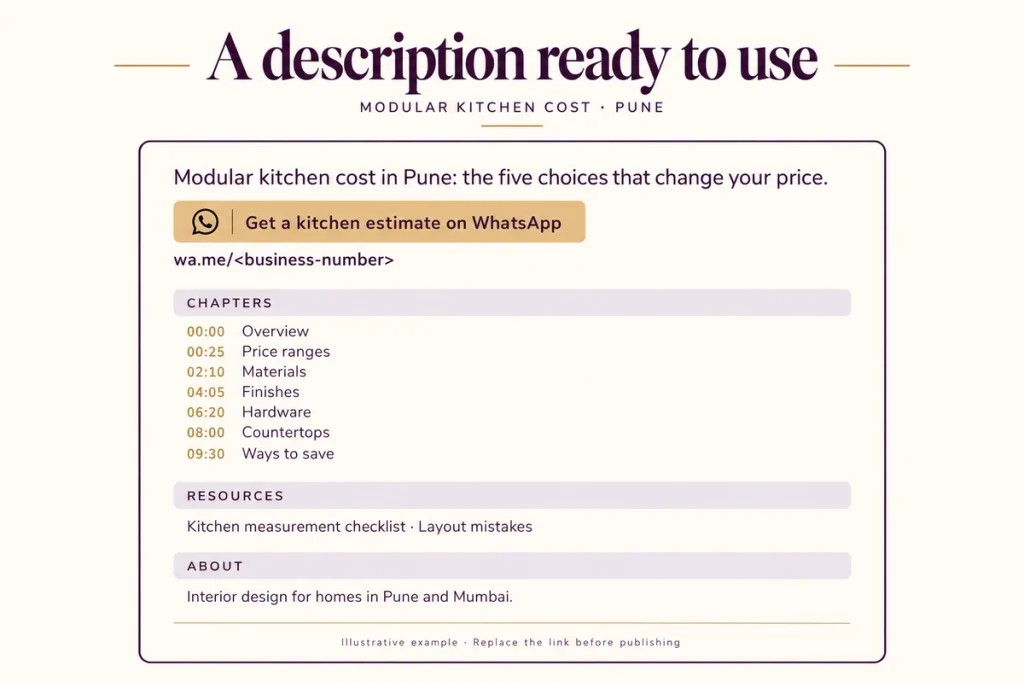
Line 1: Modular kitchen cost in Pune for 2026: what a 10×8 kitchen really costs, and the five choices that change the price.
Line 2: Get a free kitchen estimate on WhatsApp: [link with UTM]
Chapters:
00:00 What you’ll learn
00:25 Typical price ranges
02:10 Carcass material
04:05 Shutters and finishes
06:20 Hardware
08:00 Countertops
09:30 How to save money
Resources: Download our kitchen measurement checklist: [link]. Watch next: “5 kitchen layout mistakes” [link]
About: Studio Kaya designs turnkey interiors for homes in Pune and Mumbai. 140+ homes completed.
(Studio Kaya is a fictional example.)
Writing tips
Write the first line for a human. A keyword list reads as spam. A sentence that answers the query reads as useful.
Use the viewer’s words. If buyers say “modular kitchen price”, use that phrase, not “bespoke culinary space”.
One main link. Too many links dilute clicks. Put the most important one in line 2.
Keep the About block short and consistent. Reuse it as a saved default in YouTube Studio’s upload defaults.
Match the spoken content. Describe what the video actually covers. Misleading descriptions can break YouTube’s spam policies.
Add hashtags sparingly. A couple of relevant ones at the end is enough.
Upload defaults save time
In YouTube Studio settings you can set default description text for new uploads. Put your About block and standard links there, then add the summary, next step and chapters for each video.
Tracking leads from descriptions
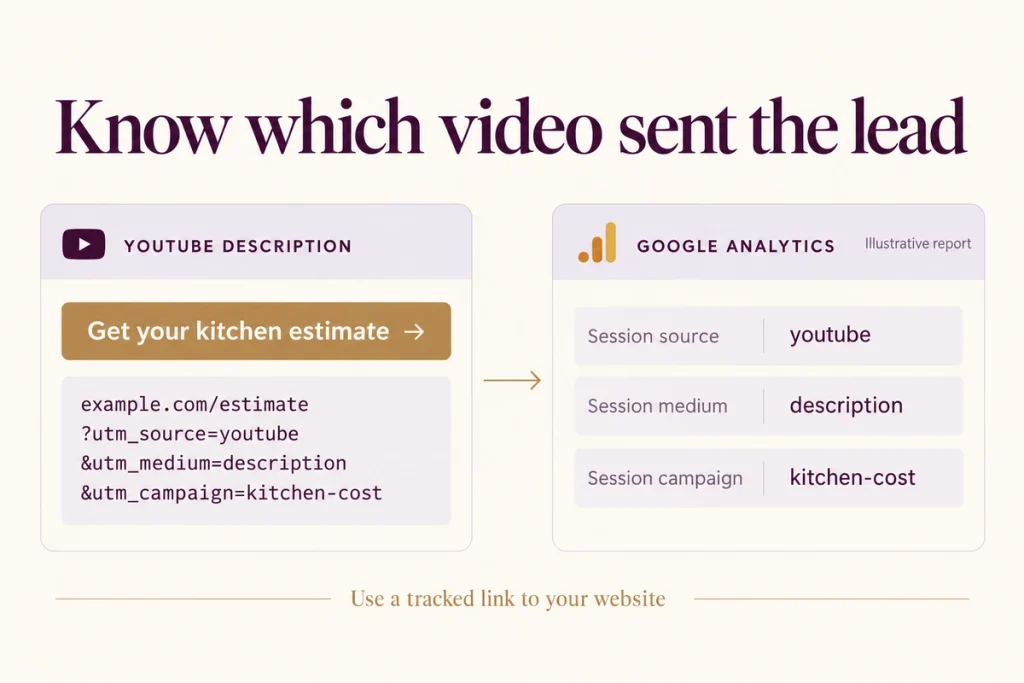
Tag every description link with UTM parameters, for example `utm_source=youtube&utm_medium=description&utm_campaign=kitchen-cost`. In Google Analytics you’ll then see which videos send visitors and leads.
For WhatsApp links, add a pre-filled message such as “Hi, I watched your kitchen cost video”, so sales know the source. See our guide to WhatsApp for lead handling. If you collect personal details on the landing page, follow DPDP notice and consent rules.
Mistakes to avoid
Leaving it blank. YouTube relies on this text to understand the video.
Copy-pasting the same description on every video. Only the About block should repeat.
Stuffing tags into the description. A block of keywords helps nobody and can look spammy.
Chapters that break the rules. Missing 00:00 or fewer than three timestamps means chapters won’t appear.
Links without UTMs. You’ll never know which videos drive business.
Checklist
- First line answers the video’s main question with the main keyword
- Line two holds one tracked next-step link
- Chapters start at 00:00, at least three, each 10+ seconds
- Resources and related videos linked
- Consistent About block from upload defaults
- Description matches what the video actually says
- One or two relevant hashtags at most
Questions we get asked
How long should a YouTube description be?
Long enough to explain the video and give next steps. Most business videos need 150 to 300 words. The limit is 5,000 characters.
Does the description help YouTube SEO?
Yes. YouTube names the title, thumbnail and description as more important for discovery than tags. See YouTube SEO and YouTube tags.
Can I edit descriptions on old videos?
Yes, anytime. Updating old descriptions with chapters and tracked links is a quick win.
Final thoughts
Treat the description as a landing page in miniature: a clear summary, one next step, chapters, and consistent context. It supports search and turns viewers into leads, which is the point of YouTube marketing.
Want your top 20 videos’ descriptions rewritten with tracking? Book a consultation. You can reach out to us on whatsapp at +91 7738844851 .
More in Blog
Keep reading
All articles →
Ready to talk about your growth?
Tell us what's stuck and we'll tell you what we'd do first. Free, 30 minutes, no pitch.