YouTube SEO: How to Get Your Business Videos Found in Search
YouTube SEO for businesses: find real search queries, write titles and descriptions that match them, use chapters and captions, and rank in Google too.

The short answer
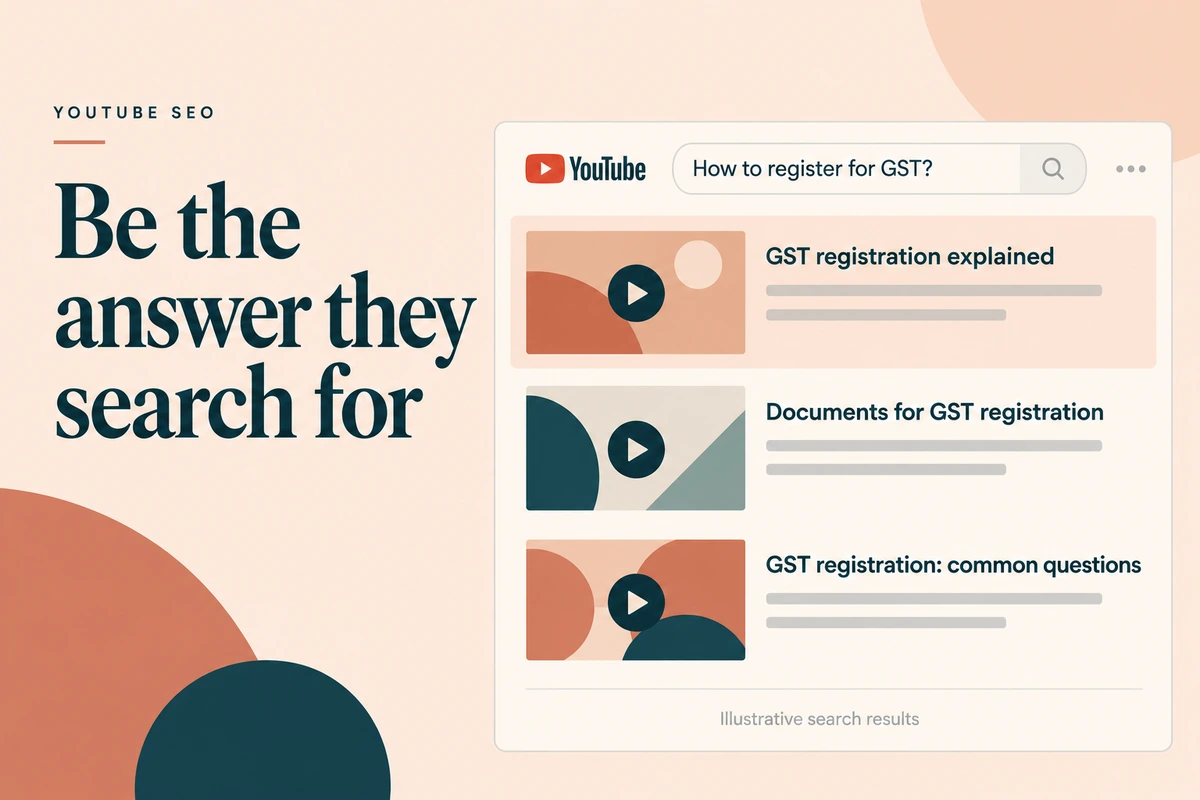
YouTube SEO means making videos that match what people search for, then describing them clearly. YouTube’s own guidance is to pick one or two main words that describe the video and use them in the title and description, and it says the title, thumbnail and description matter more for discovery than tags. Start with a real search query, answer it early in the video, add chapters and accurate captions, and test titles and thumbnails. Good YouTube videos often show in Google results too, so one video can rank in two places.
How YouTube search decides
For search, YouTube looks at relevance (does the title, description and content match the query?) and engagement (do people who click stay and find it useful?). YouTube has said its systems use clicks, watch time, survey responses, likes, dislikes and shares to judge satisfaction. More on this in our guide to the YouTube algorithm.
So SEO has two halves: be the right answer, and be a good one.
The Query-to-Video checklist
1. Pick one real query
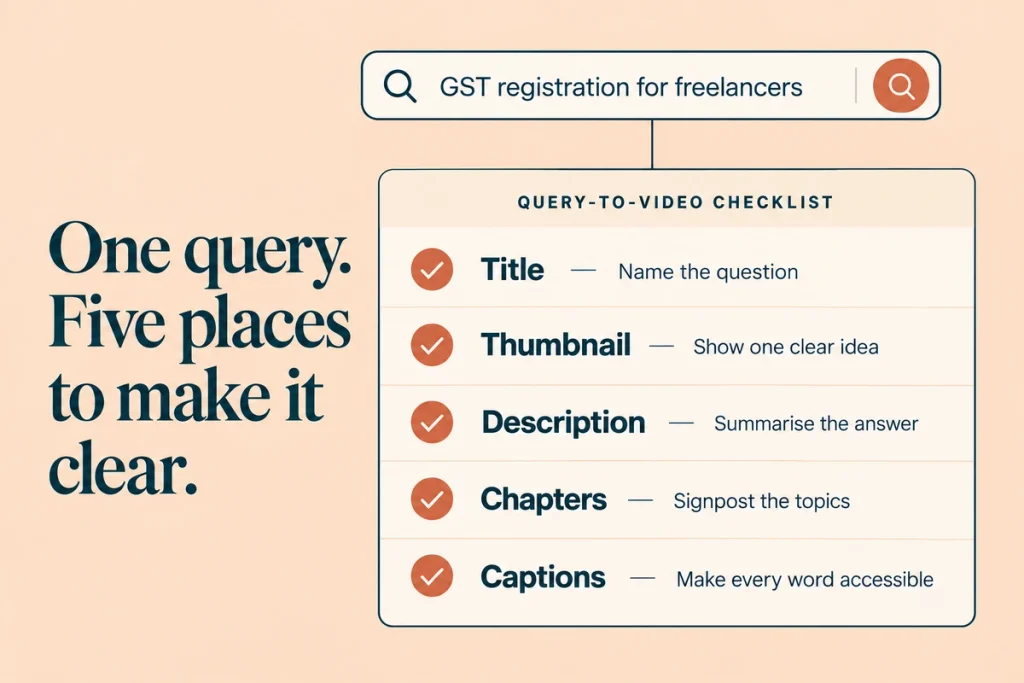
Every video should target one query someone actually types.
Where to find them:
- YouTube autocomplete. Type the start of a topic and note suggestions
- Google autocomplete and People Also Ask
- Your sales and support questions
- YouTube Studio › Analytics › Research tab, which shows what your audience searches (where available)
- Keyword tools like SEMrush, for volume in India
Indian search behaviour: people search in English, Hindi, Hinglish and regional languages. “GST kaise bhare”, “home loan eligibility kaise check kare”. If your buyers search that way, make a Hindi or Hinglish version. See our notes on regional language marketing.
2. Title
Put the main phrase near the start. Keep it readable.
- Weak: “Episode 14 | Finance Friday”
- Strong: “GST Registration for Freelancers: Step-by-Step (2026)”
Test up to three versions with Test & Compare in YouTube Studio. YouTube picks the winner by watch time share.
3. Thumbnail
One idea, readable on a phone, consistent with the title. Test variants with Test & Compare rather than guessing. Don’t promise what the video doesn’t deliver.
4. Description
First two lines answer the query in plain words. YouTube shows these first. Add a tracked link, chapters and context. Our YouTube description template covers this.
5. Chapters
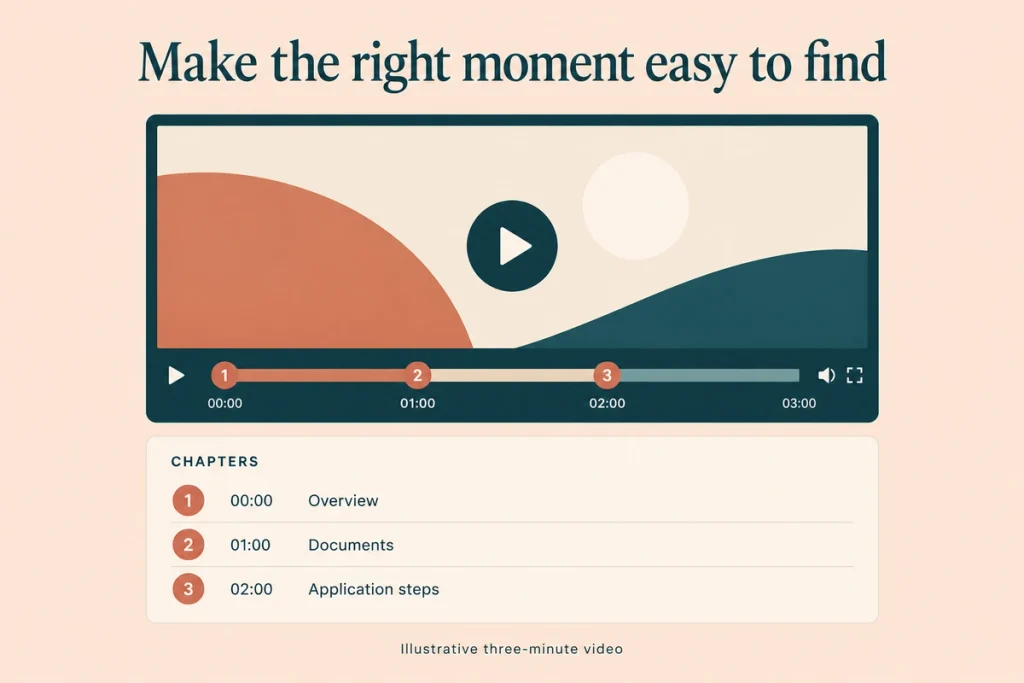
Timestamps in the description, starting at 00:00, with at least three chapters of at least 10 seconds each. Chapters help viewers find the part they need, and name the topics covered.
6. Captions
Upload accurate captions or fix auto-captions. It matters for accessibility and for Hindi or Hinglish videos, where auto-captions can misread words.
7. The first 30 seconds
Say the main phrase and the promise early. Viewers who searched want the answer; if you make them wait, they leave. See watch time.
8. Tags (briefly)
YouTube says tags “play a minimal role”. Add a few for common misspellings. More in YouTube tags.
Ranking on Google too
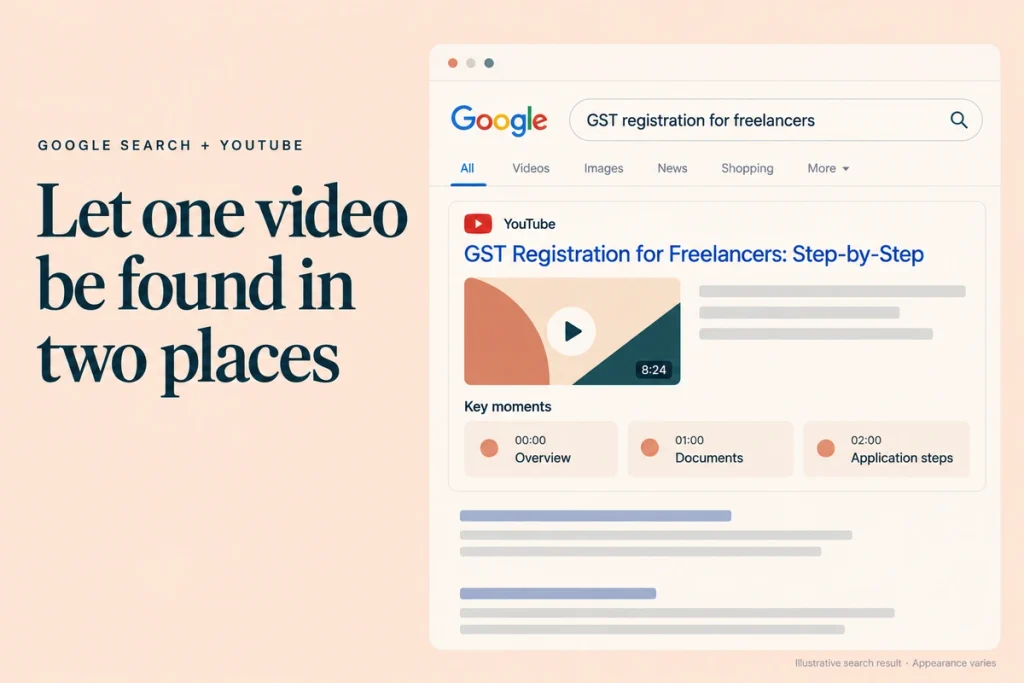
Google often shows YouTube videos for how-to and “vs” queries. To improve your chances:
- Target queries where Google already shows videos
- Use clear titles and descriptions (Google reads them too)
- Add chapters (Google can show “key moments” from chapters)
- Embed the video in a related blog post on your site
The same idea applies to Instagram, whose posts can now appear in Google; see Instagram SEO.
Channel-level SEO
- Channel keywords and About section describing what you cover
- Playlists named for search topics: “GST for freelancers” rather than “Series 2”
- A focused channel. YouTube and viewers both understand a channel that sticks to its subject
Mistakes to avoid
Titles for insiders. “Our Q3 townhall” won’t be searched.
Keyword stuffing in titles, descriptions or tags. It can break YouTube’s spam policies.
Misleading thumbnails. Clicks without satisfaction hurt.
No answer until minute three. Searchers leave.
One video trying to rank for five topics. One query per video.
Checklist
- One real query per video, checked in YouTube autocomplete
- Main phrase near the start of the title
- Up to three title/thumbnail variants tested
- Description’s first two lines answer the query
- Chapters from 00:00, three or more, 10+ seconds each
- Accurate captions uploaded
- Main phrase spoken in the first 30 seconds
- A few tags for misspellings only
- Playlists named after search topics
Questions we get asked
How long does YouTube SEO take?
Search videos often gain views over three to six months. Some take longer.
Do views from ads help SEO?
Paid views are separate from organic ranking signals. Ads can bring viewers who then engage, but they don’t directly raise search rank.
Should we optimise old videos?
Yes. Improving titles, thumbnails, descriptions and chapters on older videos is quick and often effective.
Final thoughts
YouTube SEO is matching real questions with clear answers, then describing them well. It’s the Search shelf in YouTube marketing, and the part that keeps paying for years.
Want a keyword plan for your next 20 videos? Book a consultation. You can reach out to us on whatsapp at +91 7738844851 .
More in Blog
Keep reading
All articles →
Ready to talk about your growth?
Tell us what's stuck and we'll tell you what we'd do first. Free, 30 minutes, no pitch.