Snapdeal Seller Guide: How to Register and Sell on Snapdeal
How to become a Snapdeal seller: registration steps, documents to prepare, seller login, who Snapdeal suits, and how it compares with Meesho and Shopsy.

The short answer
To become a Snapdeal seller, go to Snapdeal’s seller site (seller.snapdeal.com), register with your mobile number and email, and complete onboarding with your business details, GSTIN, PAN, bank account and pickup address. Once approved, you list products and manage orders from the seller panel, which is also where existing sellers log in. Snapdeal focuses on value-conscious shoppers, so it suits low- and mid-priced products like fashion, home, kitchen and accessories. Snapdeal doesn’t publish a simple public rate card that we could verify, so confirm fees for your category during onboarding.
Who Snapdeal suits
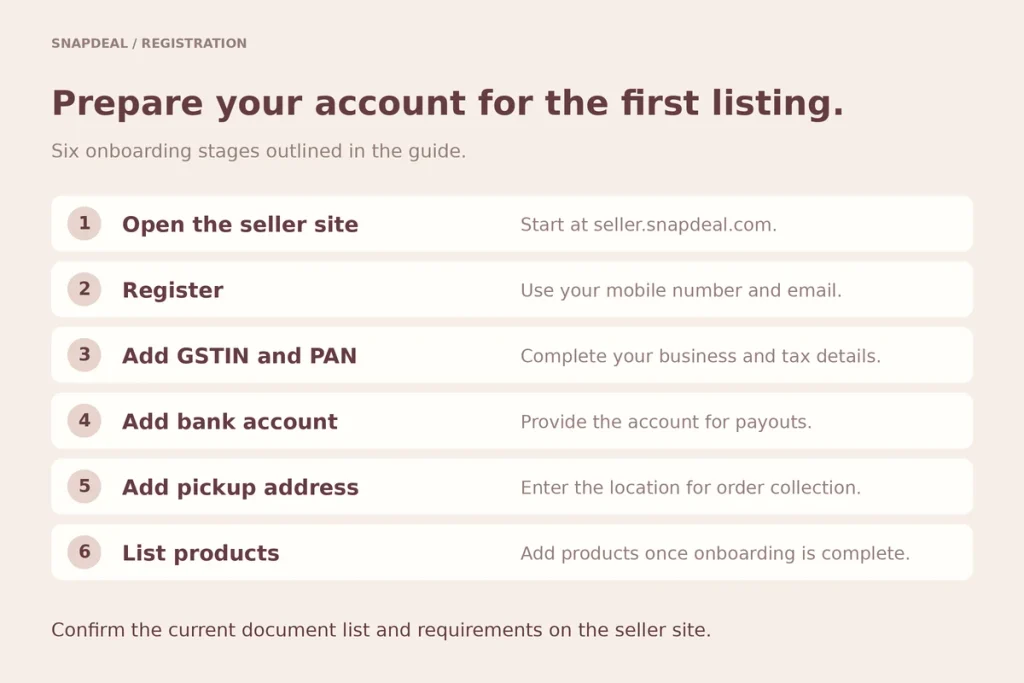
Snapdeal works best for:
- Sellers of affordable, everyday products
- Manufacturers and wholesalers with stock depth
- Sellers comfortable competing on price
- Businesses ready to manage returns and COD
For branded or premium products, fashion-first or general marketplaces are usually a better fit. See all online selling platforms.
How to register as a Snapdeal seller
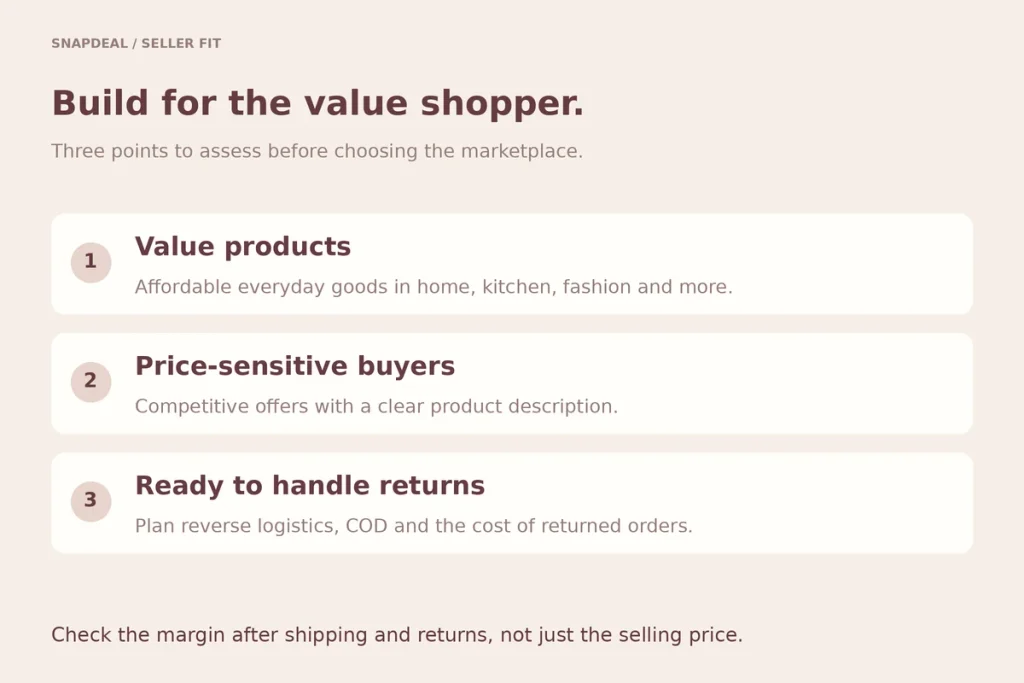
- Open seller.snapdeal.com and start registration
- Register with your mobile number and email
- Add business details: GSTIN, PAN and business address
- Add your bank account for payouts
- Add your pickup address
- List products once onboarding is complete
Documents to prepare
- GSTIN
- PAN
- Bank account with cancelled cheque
- Pickup address
- Brand authorisation for branded products you don’t own
Confirm the current list on the seller site.
Snapdeal fees
Fees usually depend on category, price and fulfilment. Reports in 2026 suggested Snapdeal has been lowering what it earns from sellers, but we couldn’t verify current terms from an official Snapdeal page. Get the full cost per order, including shipping and returns, before pricing.
Snapdeal vs Meesho vs Shopsy
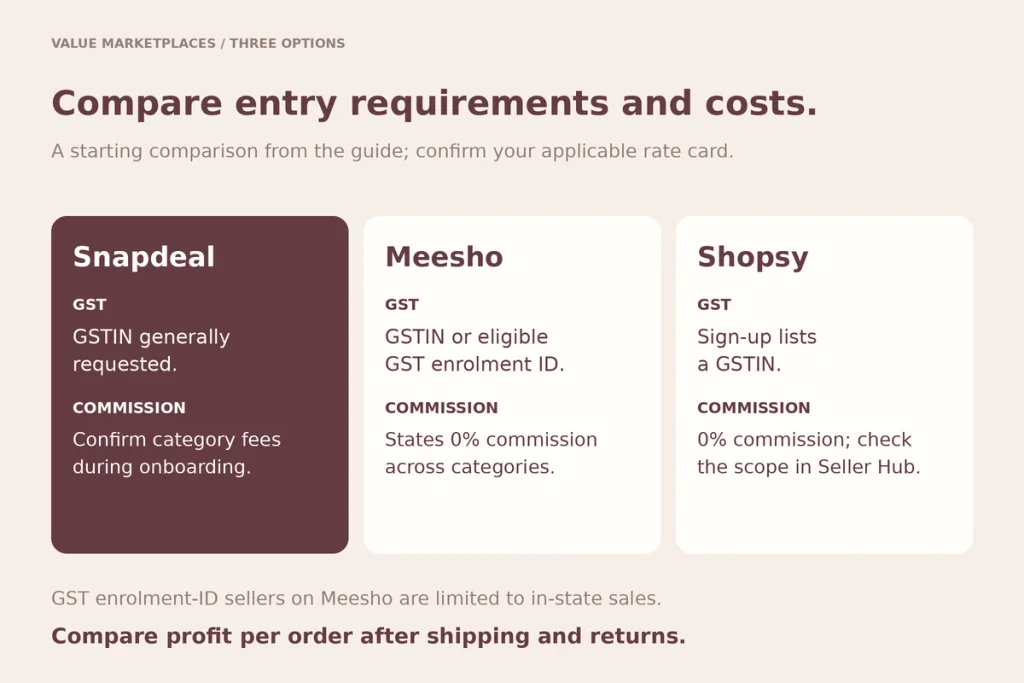
All three target value buyers.
- Meesho: states 0% commission and accepts sellers with a GST enrolment ID
- Shopsy: Flipkart’s value app; states 0% commission on Shopsy exclusive verticals; asks for GSTIN
- Snapdeal: established value marketplace; confirm fees for your category
Many value sellers test two platforms and keep the one with the better profit per order after returns.
Mistakes to avoid
Pricing without returns. Value categories can see high returns; see RTO.
Using fee figures from old blogs. Terms have changed.
Slow dispatch. Affects ratings and visibility.
Checklist
- GSTIN, PAN, bank account and pickup address ready
- Category fees confirmed during onboarding
- Price built with shipping and returns
- Clear product photos and accurate sizes
- Dispatch process ready
Questions we get asked
Where is the Snapdeal seller login?
At seller.snapdeal.com, which leads to Snapdeal’s seller onboarding and panel.
Is Snapdeal registration free?
Snapdeal doesn’t advertise a sign-up fee; fees apply on orders. Confirm during onboarding.
Can I sell on Snapdeal without GST?
Snapdeal’s registration generally asks for a GSTIN. Check the seller site for current options.
Final thoughts
Snapdeal is a practical option for value products, especially alongside Meesho or Shopsy. Confirm fees, price for returns and keep dispatch fast. Compare all online selling platforms.
Want help growing across value marketplaces? Book a consultation.You can reach out to us on whatsapp at +91 7738844851 .
More in Blog
Keep reading
All articles →

Ready to talk about your growth?
Tell us what's stuck and we'll tell you what we'd do first. Free, 30 minutes, no pitch.